

















Customer 23
Verified purchase
Oct 19, 2026
Review text 1023

 Install Kinzo AppFaster shopping and app exclusive deals


 You have saved
Rs 93.11
!
 You Get Free Delivery Bonus
Rs 938.46 Add more for free delivery

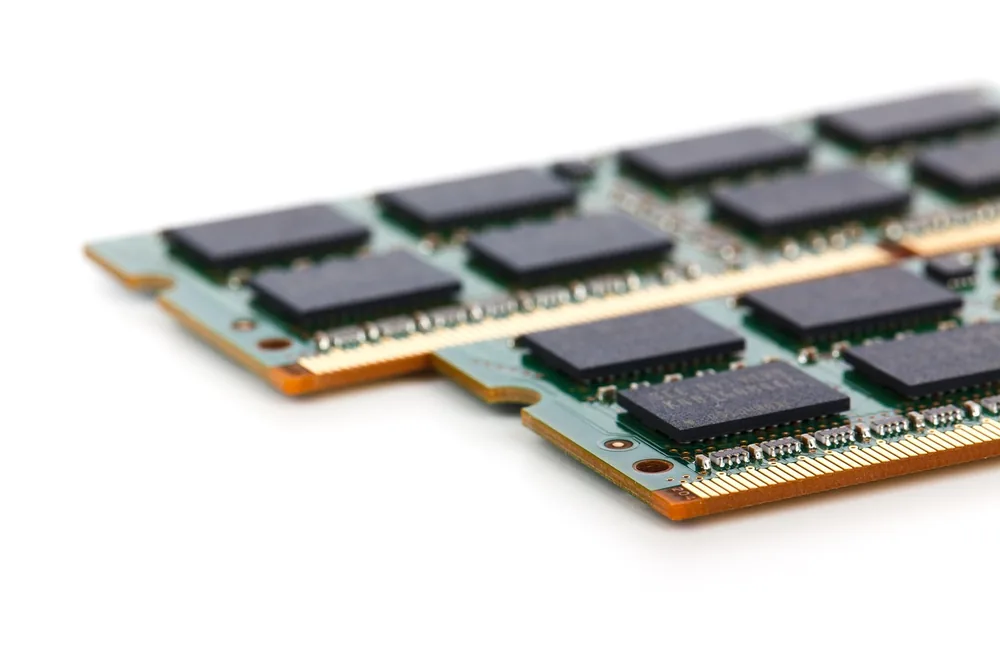
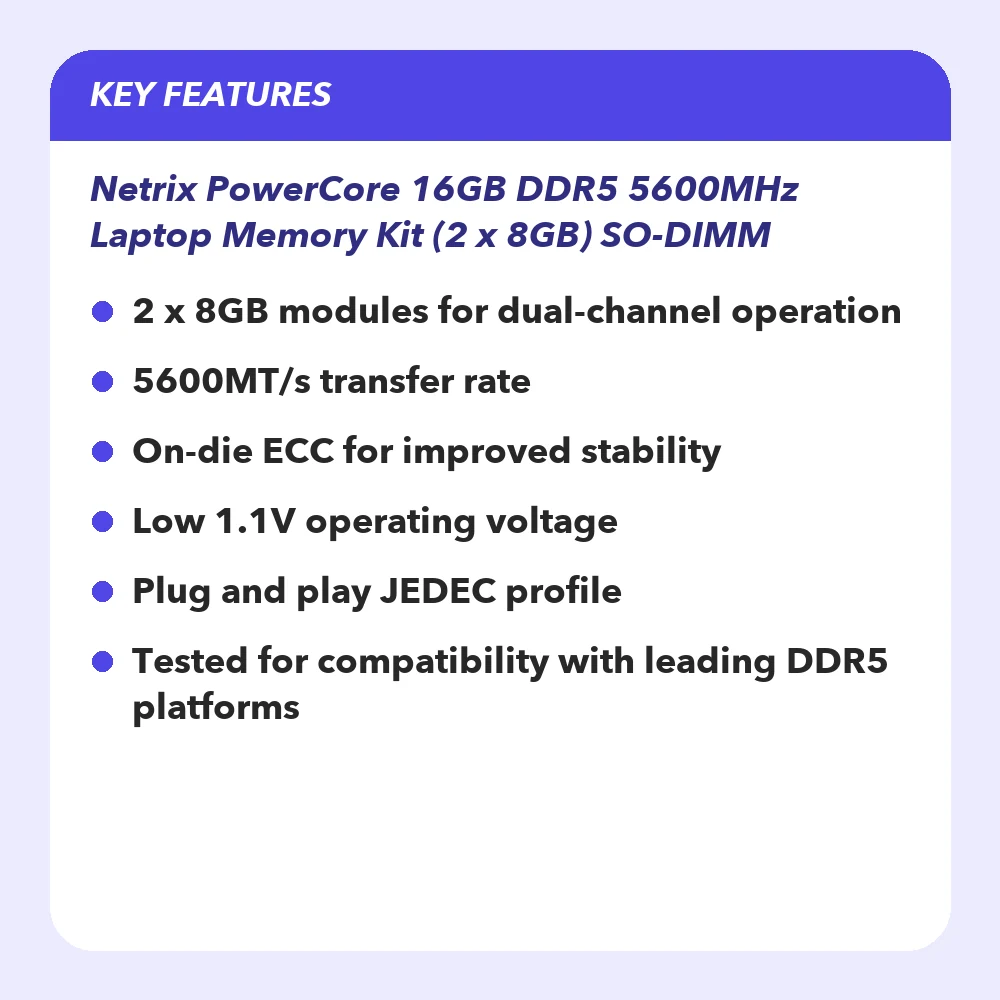
PowerCore DDR5 SO-DIMM kits upgrade compatible laptops and small-form-factor PCs with faster memory. Running in dual-channel mode, the pair boosts multitasking, video editing and gaming performance on systems that support DDR5.
Each module is tested at rated speed and voltage, and works with standard JEDEC profiles for easy plug-and-play. On-die ECC improves stability and low 1.1V voltage helps with heat.
This listing is for the 16GB (2 x 8GB) kit, with a 32GB (2 x 16GB) kit also available. Always confirm your device supports DDR5 SO-DIMM before buying.
Installing the modules takes only a few minutes in most laptops: unplug, remove the bottom cover, release the clips, seat the new modules at an angle and press them flat until they click. Faster, higher capacity memory can reduce stuttering in multi-tab browsing, large spreadsheets and photo or video editing, and it helps integrated graphics because they use system memory.
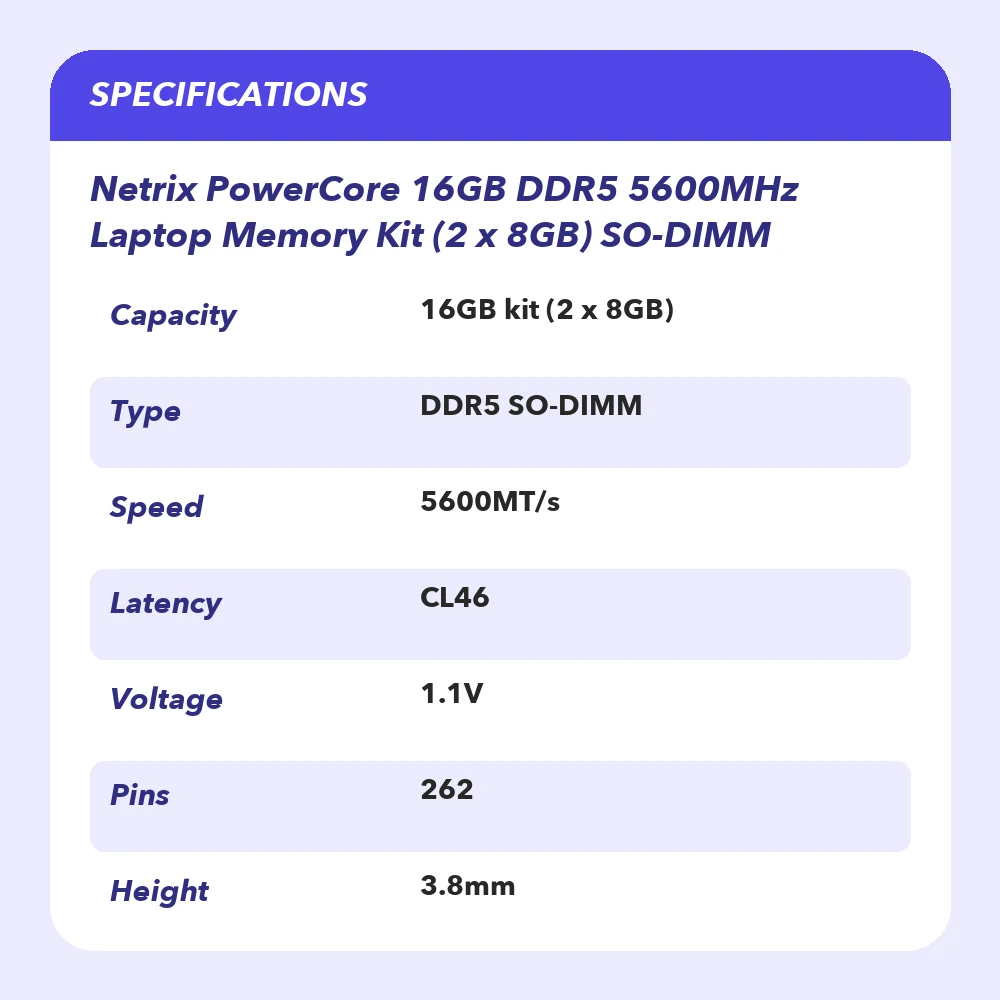
| Capacity | 16GB kit (2 x 8GB) |
| Type | DDR5 SO-DIMM |
| Speed | 5600MT/s |
| Latency | CL46 |
| Voltage | 1.1V |
| Pins | 262 |
| Height | 3.8mm |
| Compatibility | DDR5 laptops and mini PCs |
| Capacity Options | 16GB (2x8GB) or 32GB (2x16GB) |
| Modules | 2 x SO-DIMM |
| Profile | JEDEC |
PowerCore is for anyone upgrading a DDR5 laptop or mini PC for smoother multitasking, editing or gaming. It suits users with a free or replaceable memory slot. Matched pairs are tested together, which helps dual-channel mode run reliably, and the compact modules suit slim chassis designs. It is also useful for people reviving an older DDR5 mini PC or small-form-factor workstation who want more headroom without buying a new computer.
Limited lifetime warranty. Check that your device supports DDR5 SO-DIMM before buying, power off and unplug before installing, and handle modules by the edges to avoid static damage. Some laptops have soldered memory and cannot be upgraded.
Is it compatible with DDR4 laptops?
No, this is DDR5 and will not fit or work in DDR4 systems.
Do I need to install both modules?
Yes, install both to enable dual-channel mode if your device has two slots.
Do I need to change BIOS settings?
Usually no, as the JEDEC profile works automatically.
 Fast Delivery all across the country
Fast Delivery
 Safe Payment
 7 Days Return Policy
 100% Authentic Products
Review text 1023
Review text 523
Review text 23
No review given yet!
 -28%
 -25%
 -16%
 -18%
 -10%
 -20%
 -15%
 -14%
 -10%
 -8%
 -12%
 -22%
-12%
-8%
-10%
-14%
-15%
-20%
-10%
-18%
-16%
-25%
-28%
 -20%
 -22%
 -12%
 -14%
 -28%
 -10%
 -25%
 -20%
 -10%
 -12%
 -18%
 -10%
Choose what you want to switch on. You can change it any time.


You need to Sign in to view this feature

This address will be removed from this list
