








Remote engineers, graphic designers, accountants, and university thesis writers often discover an uncomfortable irony a few weeks after buying an expensive laptop: they end up with nagging neck stiffness and mid-afternoon eye fatigue not because the hardware is slow, but because they set up camp at a dining table built too high, squinting against overhead tube lights while cables tangle around ankles. Inside compact bedrooms and shared flats, reserving even a clean 110cm wall niche transforms focus dramatically if you nail three silent measurements: desk depth, seated elbow-to-eye geometry, and directional glare-free illumination.
Exploring furniture & workspace staples on Kinzo across Cozy Nest, Northvale, Kestrel Oak, and Home & Hearth shows clear choices between flimsy wobble-prone budget frames and stable long-term desks that tuck effortlessly beside a sunlit window.
Key Takeaways
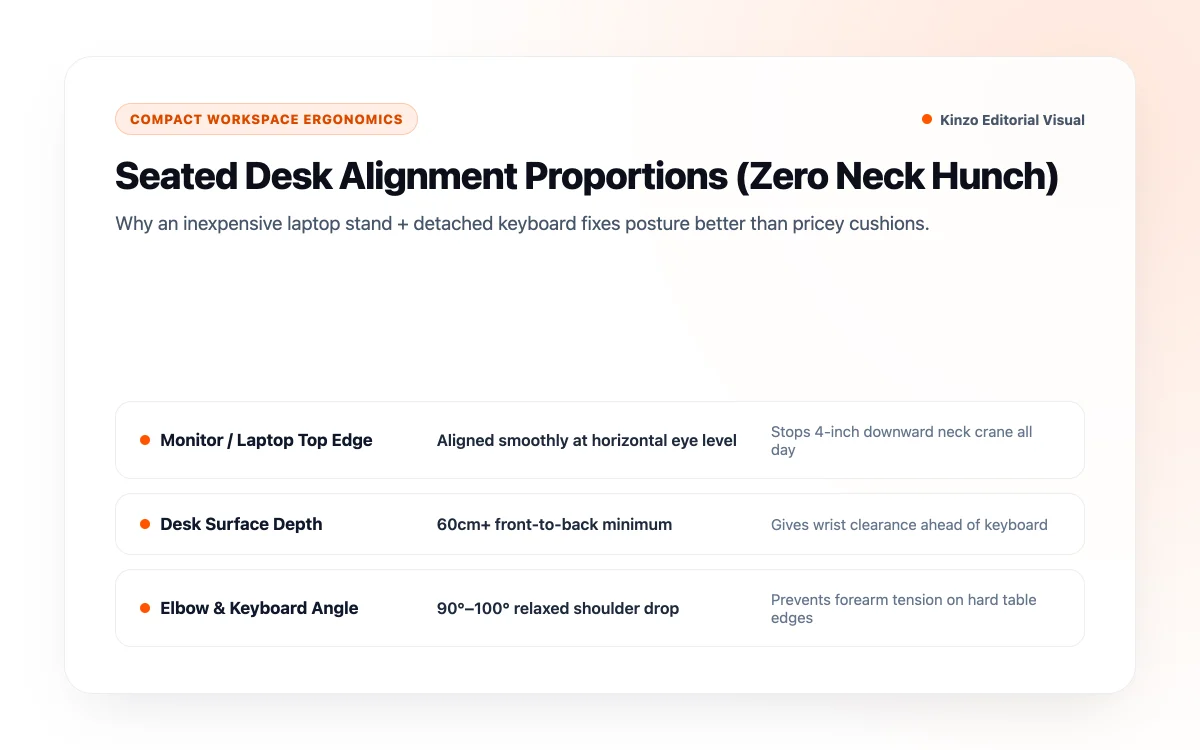
- Never drop desk depth below 55cm–60cm if using an external monitor: Shallow 40cm console tables shove screens inches from your nose and leave zero wrist clearance ahead of the keyboard.
- Fix screen height before buying an expensive chair: Even a luxury mesh seat fails if your gaze still cranes downward four inches at a flat laptop hinge all day.
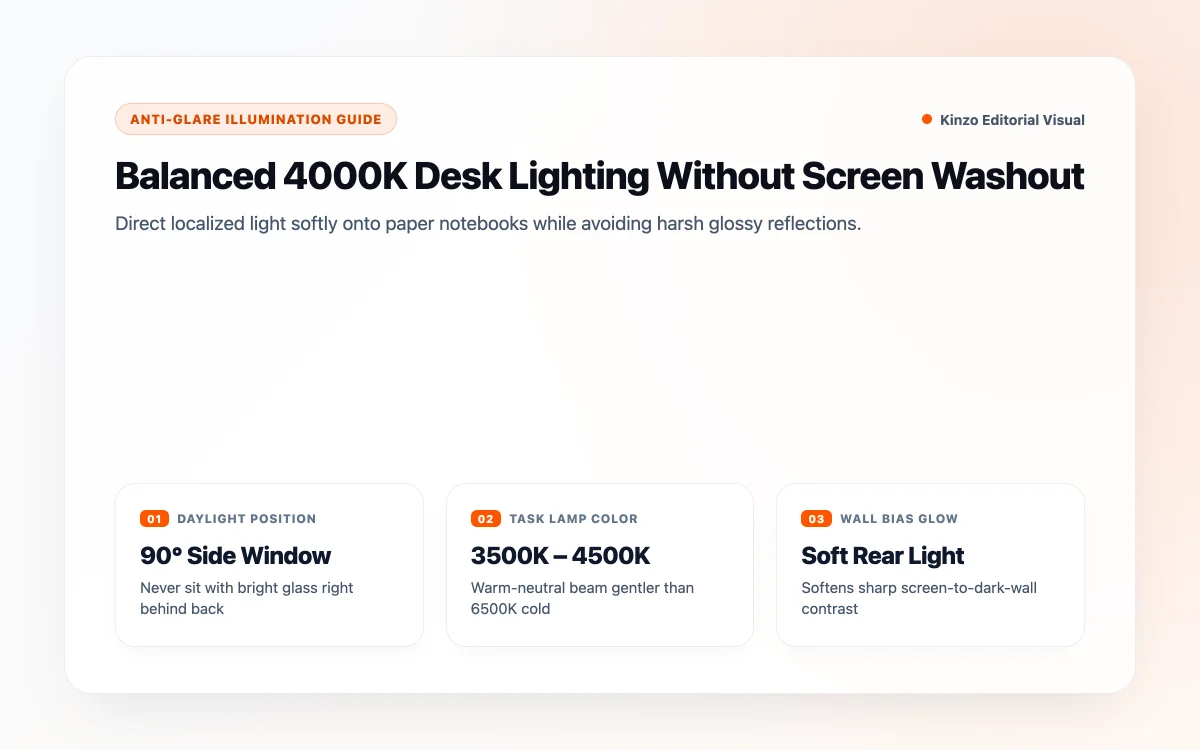
- Use 4000K neutral task lighting pointed at paper, not into your pupils: Harsh 6500K cool overhead tubes bounce painful white glare off glossy monitors and tire retinas rapidly.
- Lift power bricks off Dusty Floors: Clipping an under-desk tray or organizing cable sleeves turns vacuuming from a tangled wrestling match into a thirty-second sweep.
Why Desk Depth and Edge Stability Outrank Decorative Shelves
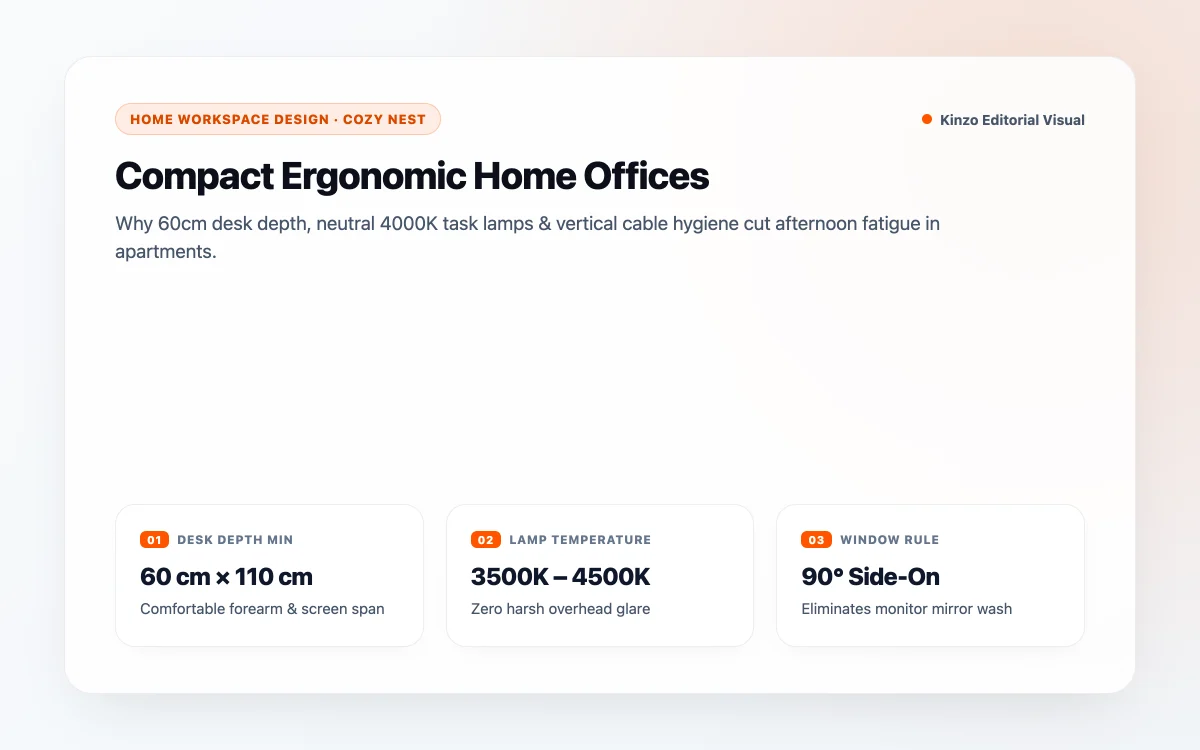
When browsing bedroom desks online, tiny dimensions look tempting in crowded rooms, yet a 45cm deep writing ledge feels cramped the moment an adapter plug pushes behind a laptop stand. Ideally aim for **60cm minimum depth** (and **100cm to 120cm width**) so a laptop or 24-inch display sits cleanly back at arm’s length while your forearms rest gently forward without dangling wrists off sharp laminated corners.
Inspect steel leg cross-bracing carefully too. Particleboard slabs bolted strictly to four skinny vertical legs rack noticeably side-to-side whenever you erase pencil notes or type briskly—adding just one rear X-brace or full-depth modesty panel eliminates wobble immediately without stealing knee room underneath.
Chair Ergonomics for Typical Room Climates
Solid PU leather executive thrones look dramatic in product thumbnails yet trap heat rapidly inside warm spring afternoons without air conditioning. Breathable woven mesh backrests keep airflow steady during marathon coding sprints, provided the seat pan depth lets three fingers fit comfortably behind your bent knee without cutting off calf circulation, and adjustable armrests drop low enough to slide neatly under the desk apron.
Workspace Components Compared: Dining Improvisation vs Modular Compact vs Dedicated Studio
| Workspace Factor | Makeshift Dining / Bed Setup | Compact Bedroom Niche (Recommended Min) | Dedicated Pro Desk Setup |
|---|---|---|---|
| Desk Surface Area | Variable / shared clutter | 110cm × 60cm solid engineered/ash top | 140cm+ × 70cm deep dual-monitor slab |
| Posture Control | Hunched neck; tight shoulder strain | Aluminum laptop stand + detached keyboard/mouse | Gas-spring VESA monitor arm + lumbar mesh chair |
| Lighting Strategy | Overhead ceiling tube glare on screen | 4000K adjustable desk task lamp offset sidewise | Asymmetric monitor light bar + warm bias backlight |
| Cable & Storage Hygiene | Loose power strips dangling underfoot | Under-desk strip cradle + vertical file boxes | Integrated grommets + concealed surge rail |
Getting Desk Lighting Right Without Eye Fatigue
Glare, rather than raw screen brightness, causes most late-evening headaches. Position your desk perpendicular (side-on) to sunny windows whenever layout allows: facing directly into bright noon sky washes out contrast, while placing a sunny window directly behind your shoulders turns glass displays into unreadable mirrors.
For evening shifts, pick an articulated LED task lamp with adjustable color temperature around **3500K–4500K (warm-to-neutral daylight)** and a shaded head directing light strictly over notebooks and keycaps without shining straight into your eyesight. Keeping subtle indirect room light switched on behind the display stops bright monitor white backgrounds from piercing dark walls like a car headlight.
Handling Cable Spools and Inverter Backup Without Floor Clutter
Once a laptop adapter, monitor figure-8 plug, task light transformer, and USB phone cord sit casually behind desk feet, sweeping bedroom floors turns frustrating fast. Bolt or adhesive-mount one simple metal cable tray underneath the rear lip of the desk top so your multi-socket surge strip lifts cleanly five inches off floor dust. Run only a single heavy-duty power cable cleanly down along the right steel desk leg toward your wall outlet or backup UPS. Velcro fabric straps beat tight zip-ties here—whenever pulling your laptop charger onto weekend coffee runs around Jhamsikhel, a gentle peel frees the brick inside three seconds rather than cutting plastic locks.
Micro-Breaks, Dual-Screen Traps, and Desk Audio Calm
Staring frozen at code blocks or quarterly spreadsheets for three straight hours locks hip flexors and shoulders even inside flagship chairs. Set simple hourly cadence: fifty minutes crisp focus followed cleanly by three minutes standing upright while refilling water bottles across the kitchen. Notice too whether stacking dual external 27-inch monitors onto shallow 100cm desks creates distracting peripheral motion—one crisp 24-inch or single open ultrabook flanked cleanly beside clear wall space keeps reading focus tighter across shared apartments where street traffic noise leaks past window frames.
Vertical Storage Inside Tight Floorprints
Once desks stay uncluttered on top, creativity and focus breathe immediately. Instead of buying wide clunky file cabinets that swallow square footage:
- Keep ONLY active notebooks, water tumbler, headphones stand, and keyboard on the work plane.
- Store backup chargers, SSD drives, tax binders, and stationery envelopes inside lidded linen boxes or narrow three-tier rolling utility carts tucked beneath one corner.
- Stand laptops vertically inside a simple aluminum dock whenever hooking up a large external monitor for deep weekend projects.
Choosing Surface Finishes, Acoustic Mats, and Seasonal Comfort
Desk textures play a quieter psychological role in workday patience than flashy RGB LEDs ever could. Matte light ash or warm natural oak wood tones bounce cozy ambient sun cleanly without highlighting sweaty palm prints and dust flakes five minutes after wiping, whereas high-gloss pitch-black glass desks stay freezing under cold January wrists and collect lint relentlessly. Sliding an extended stitched wool-felt or matte woven desk mat underneath both keyboard and mouse cushions bare forearm bones off table bevels immediately while dampening hollow typing thuds during late-night voice calls with international teams. Finally, if tile bedroom floors run icy cold through December and January mornings, tuck a small washable woven rug or textured foot rest under the desk well so calves sit grounded and steady without curling clumsily around chair casters.
Video Call Backdrop Framing & Microphone Clarity at Home
Whenever shared apartments double as Zoom client rooms, camera angle shapes professional first impressions without touching fancy DSLR lenses. Placing desks cleanly perpendicular to side windows balances warm natural face fill while turning messy bedroom wardrobes out of camera sightlines behind crisp bookshelves or calm plaster walls. Keep a compact weighted desk stand or webcam mount aligned right above laptop screens so your eye gaze meets colleagues naturally rather than tilting upward at dim ceiling corners, and tuck a subtle soft fabric acoustic pinboard or curtain along bare opposite walls to tame bright vocal echo cleanly.
Key Facts at a Glance
Bottom Line & Summary
You never need a dedicated spare bedroom to build an injury-free home workspace. Pick a steady 60cm-deep desk frame, raise your laptop screen onto a simple ventilated aluminum stand paired with a comfortable detached mouse and keyboard, swap blinding ceiling tubes for an angled warm-neutral task lamp, and clear wires off dusty tiles with smart vertical bins available across Cozy Nest and Home & Hearth on Kinzo.