







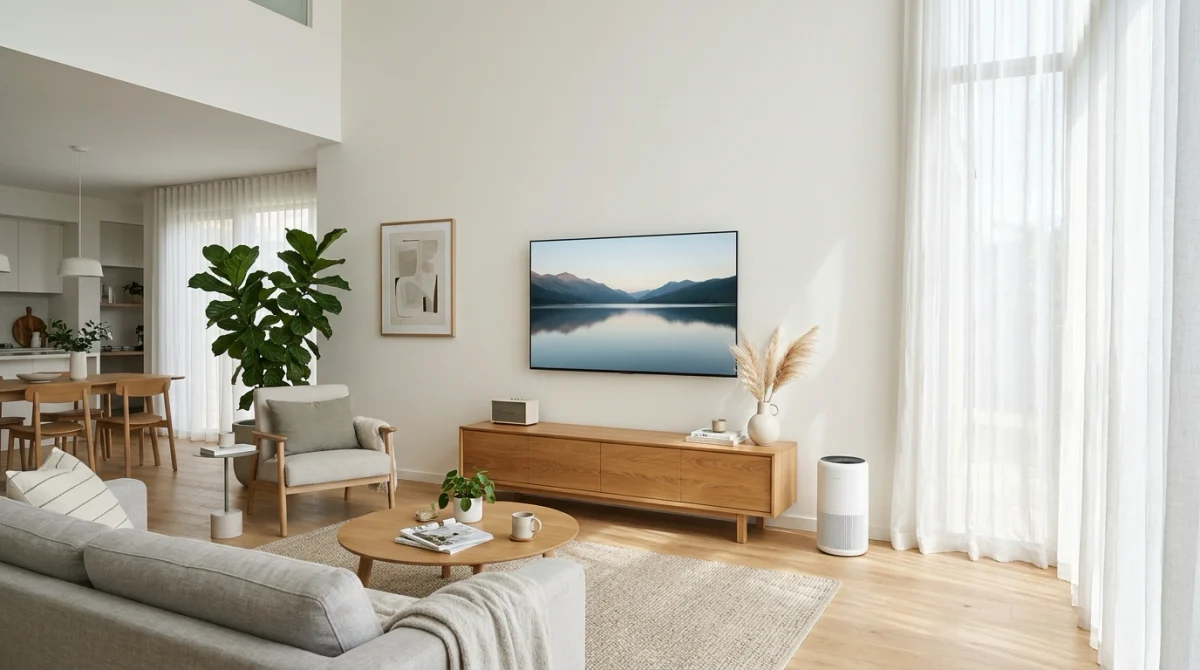
Upgrading a living room TV or picking up cooling and air appliances looks straightforward when you scroll spec sheets, yet homes across Nepal quickly expose two hidden mismatches after delivery: buying a panel size either too small or overwhelmingly close for apartment seating geometry, and plugging sensitive inverter boards straight into raw household sockets that swing wildly when evening loads climb or thunderstorms pass overhead.
From Visionel smart displays to Breezeon seasonal climate control and Hearthly home units stocked across Home & Hearth and Cozy Nest on Kinzo, getting room scale, connectivity ports, power hygiene, and multi-vendor warranty terms sorted ahead of checkout turns big-ticket orders stress-free.
Key Takeaways
- Measure sofa-to-wall distance before settling on inches: In cozy urban apartments (~2 to 2.8 meters viewing range), a crisp 43-inch to 55-inch 4K panel fills peripheral comfort better than cramped giant bezels.
- Budget built-in Wi-Fi and HDMI port count early: Three HDMI ports and dual-band 5GHz Wi-Fi prevent endless cable-swapping between set-top boxes, gaming consoles, and soundbars.
- Respect 220V brownouts and inductive surges: Pairing expensive smart boards and compressors with voltage protection or surge-rated power strips protects circuitry better than wishful thinking.
- Confirm multi-vendor dispatch and unboxing inspection: Always photograph screen glass and outer carton seals on large appliance handover while delivery staff await confirmation.
Matching Screen Size to Real Apartment Living Rooms
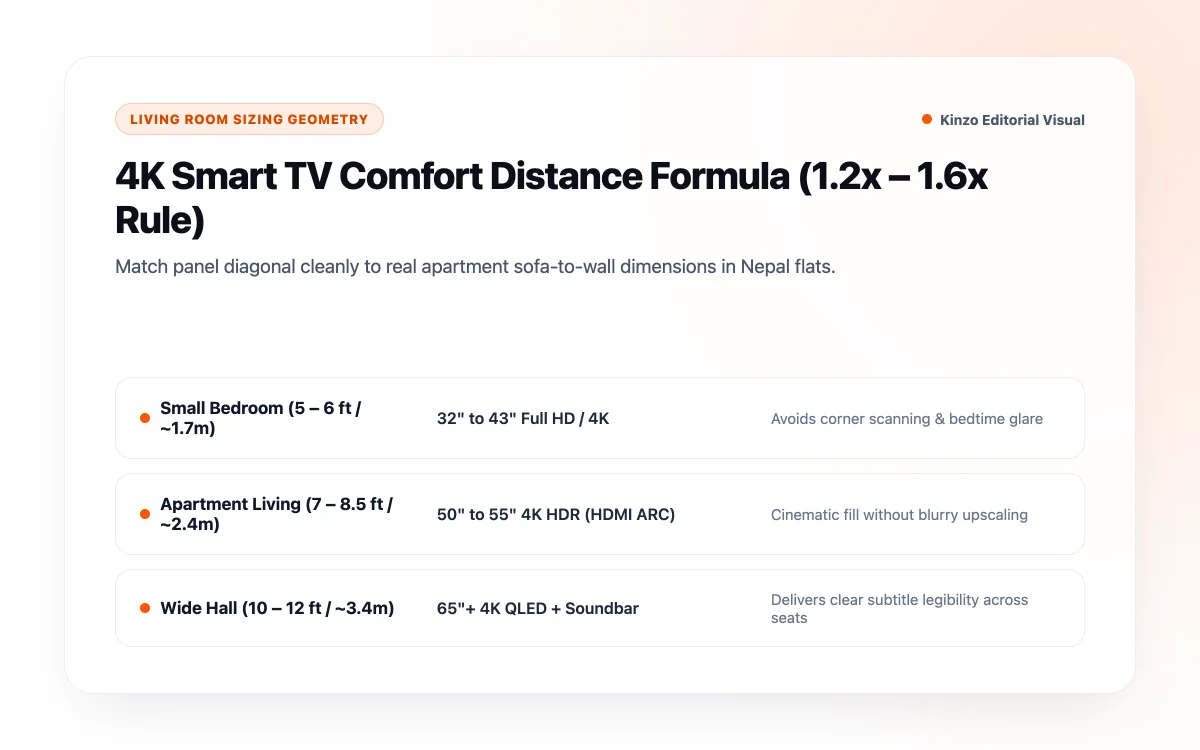
Walk around electronics bazaars and everyone pushes the biggest panel on display because huge screens look impressive under bright showroom rafters. Set that exact 65-inch or 75-inch slab inside a typical 11x12-foot Lalitpur living room where the sofa rests barely six feet from the plaster wall, and low-bitrate cable broadcasts look smeared while subtitles tire out your neck.
A reliable visual comfort rule holds cleanly: for modern 4K LED/QLED sets, comfortable cinematic viewing sits roughly between **1.2x and 1.6x the screen diagonal** (or divide viewing distance in inches by ~1.5). Sitting 7 feet (84 inches) away aligns naturally around 50 to 55 inches cleanly. Tight 5-foot bedrooms suit 32-inch to 43-inch sets comfortably without washing the room in glare at night.
Matte vs Glossy Coatings Near Sunny Windows
Check where south- or west-facing balcony windows fall in relation to your wall mount. Highly glossy panels deliver gorgeous inky contrast at night in dark cinema rooms, yet turn into frustrating daytime mirrors whenever sunlit curtains sit directly opposite the screen. Semi-matte anti-glare coatings handle bright living halls gracefully without forcing heavy blackout drapes at noon.
Smart OS Speed, Ports, and Soundbar Realities
Almost every television sold today runs smart streaming apps out of the box, yet processors inside entry Smart TVs often lag behind cheap external TV sticks within two years. Prioritize panels featuring dual-band Wi-Fi (2.4GHz + 5GHz—essential in crowded apartment buildings saturated with neighbor routers), Bluetooth 5.0 audio pairing for late-night headphone watching, and at least one **HDMI eARC/ARC** jack.
Think candidly about built-in TV speakers too: razor-thin rear bezels simply lack physical acoustic air volume for deep dialogue clarity during action scenes or monsoon rain drumming on windows. Even a modest two-channel soundbar over HDMI ARC fixes muddy voice frequencies instantly without rattling neighboring flats.
Room Sizing & Electrical Comparison for Major Home Gear
| Appliance Category | Compact Apartment Fit (<140 sq ft) | Family Living Hall (150–280 sq ft) | Key Spec & Protection Habit |
|---|---|---|---|
| Smart Display / TV (e.g., Visionel) | 32" – 43" Full HD or 4K | 50" – 55" 4K HDR (HDMI ARC) | Use surge strip + dual-band Wi-Fi near router |
| Cooling & Air Flow (e.g., Breezeon) | Silent BLDC pedestal / compact room purifier | High-CFM tower fan or correctly zoned cooling | Match wattage against household inverter VA headroom |
| Heating & Laundry Care (e.g., Hearthly) | Thermostatic room heater with tip-over cutoff | 6.5–8kg front/top load washer with delay timer | Dedicated 16A heavy power socket, never daisy-chain |
| Network & Power Hygiene | Heavy-duty surge protector with switch | Automatic voltage regulator / dedicated UPS line | Protect mainboard electronics from inductive spikes |
Power Fluctuation, Inverter Loads, and Surge Protection in Nepal
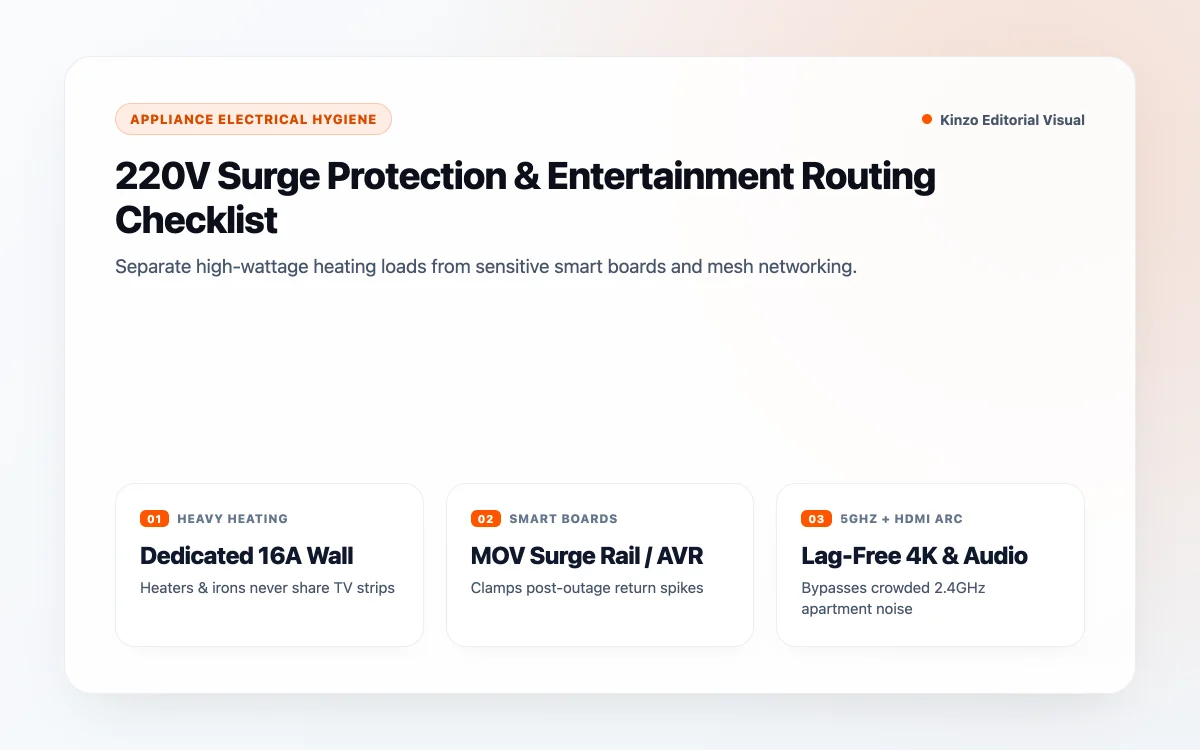
Across both Kathmandu Valley and Terai districts, grid voltage regularly fluctuates during peak evening kitchen hours, transformer switches, and pre-monsoon squalls. Modern smart electronics—whether inverter washing machines, LED TVs, or air purifiers—rely on delicate switched-mode power boards and microcontrollers that tolerate gradual dips better than sharp transient spikes when mains power snaps back after a momentary trip.
Three low-cost habits save costly circuit board replacements:
- Never share one thin extension cord with heavy heating appliances: Heaters, induction cooktops, irons, and electric geysers draw 1500W to 2200W—plug those strictly into dedicated wall 16A outlets, never loose thin strips beside your TV.
- Use surge-rated power strips with MOV clamping & clean cable management: Keeping router, console, and TV cables neatly separated prevents loose wall-plug arcing.
- Check inverter compatibility before ordering fans & purifiers: Brushless DC (BLDC) motor appliances like modern Breezeon units draw roughly half the wattage of noisy old AC coil motors and avoid humming on modified backup waves.
Delivery Handover, Mounting, and Warranty Documentation
Heavy appliances travel across rough highway stretches and apartment staircases before reaching your living room. On Kinzo, follow a disciplined 5-minute acceptance inspection whenever Home & Hearth, Cozy Nest, or courier partners arrive at your gate:
- Inspect outer corrugated corners for crush marks or water stains prior to signing digital receipt slips.
- Power on Smart TV panels right after carefully lifting them upright—confirm uniform backlight with zero spiderweb impact lines inside the glass before mounting on brackets.
- Photograph warranty cards, stamped invoices, and rear chassis serial stickers immediately and save them inside a cloud folder so service claims never stall over lost paper receipts.
Seasonal Filter Cleaning and Appliance Maintenance Routines
Most mid-year warranty headaches stem not from manufacturing flaws, but clogged particulate intake grills. On compact air purifiers running continuously through dusty spring weeks around Ring Road, vacuum pre-filter mesh screens monthly without submerging HEPA pleated paper cassettes in water (wet paper fibers fuse tightly and choke airflow immediately). On pedestal and tower cooling fans, unplug units completely before wiping dust build-up off blade leading edges every forty days—clean blades balance quietly at lower decibels and consume noticeably fewer watts.
Wall Mounting Height and Cable Concealment Sanity Check
One final showroom mistake ruins living room posture for years: mounting a flatscreen absurdly high above tall showcase cabinets like a hospital waiting lobby monitor. While seated on your regular sofa, eye level should hit right near the lower-third to middle horizontal seam of the TV frame. Dropping the wall bracket cleanly down to proper eye height ends stiff neck tilts during family movie nights and gives HDMI and optical leads plenty of slack above TV console shelves cleanly.
Energy Ratings, Standby Vampire Loads, and Placement Clearance
Checking star energy labels or real steady-state wattage pays off quickly across Terai summer months and chilly mountain bedrooms alike. A 40W BLDC pedestal fan running twelve continuous hours overnight consumes less electricity in a full week than an inefficient 1800W radiant heater burns through a single chilly two-hour evening. Leave at least 15cm open air gap behind refrigerator compressor coils, television rear vents, and air purifier louver intakes so warm exhaust mixes openly rather than baking wallpaper glue and throttling electronics prematurely. Turning power switches cleanly off at wall surge outlets rather than leaving five smart screens glowing standby LEDs saves quiet kilowatt-hours and completely disconnects control boards ahead of dramatic evening monsoon lightning fronts.
Smart TV OS Updates, Local Streaming Apps & Child Locks
Check operating system longevity carefully before finalizing living room screens: stock Android TV / Google TV platforms provide direct sideload flexibility for regional news portals, local IPTV companion clients, and sports apps without awkward mirroring latency from phones. Set PIN-protected app purchase locks during weekend setup so younger cousins grabbing voice remotes do not accidentally trigger unwanted subscriptions or alter network configurations mid-evening.
Key Facts at a Glance
Bottom Line & Summary
Smart home appliances deliver years of quiet comfort when matched cleanly to your apartment’s square footage and electrical setup. Measure viewing distance before clicking big diagonal numbers, choose BLDC motors where inverter backup matters, safeguard expensive control boards with surge protection rather than flimsy multi-plugs, and complete an orderly open-box check on delivery day across verified Kinzo stores.