








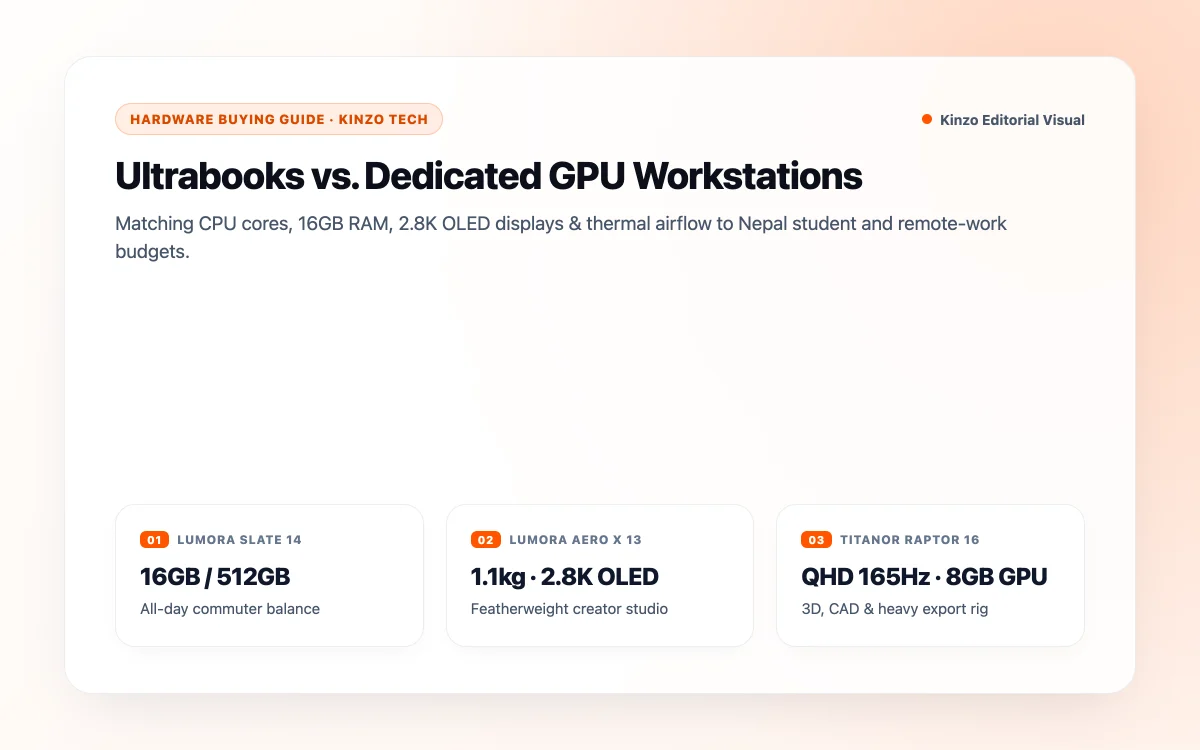
Few purchases punish guesswork as fast as buying the wrong laptop. Spend six months commuting up to a university lecture hall or co-working café lugging a 2.5-kilogram gaming rig with a brick-sized power adapter, and your shoulder will resent every extra watt of GPU horsepower you never needed on Excel sheets. Flip the mistake around and pick an underpowered budget notebook for video rendering or 3D CAD work, and fan whine plus sluggish timeline scrubbing will derail evening deadlines.
Shopping across verified computer vendors on Kinzo lets you inspect exact hardware configurations—CPU generation, RAM headroom, NVMe SSD capacity, display gamut, and weight—side by side rather than relying on showroom salespeople steering you toward leftover shelf inventory. Here is how to match a machine cleanly to how you actually work and study.
Key Takeaways
- 16GB RAM is no longer a luxury tier: Browsers running 15 tabs alongside Zoom, VS Code, or Lightroom saturate 8GB almost immediately; start your search at 16GB whenever possible.
- Match GPU wattage to actual software, not aspirations: Dedicated RTX-class graphics add cost, bulk, and battery drain—skip discrete GPUs unless running 3D modeling, GPU rendering, or modern high-refresh games.
- 2.8K OLED vs 14" FHD is a clear lifestyle fork: Everyday spreadsheet and thesis writers thrive on matte 14" IPS screens; color-critical creators and travelers benefit hugely from featherweight 1.1kg OLED ultrabooks.
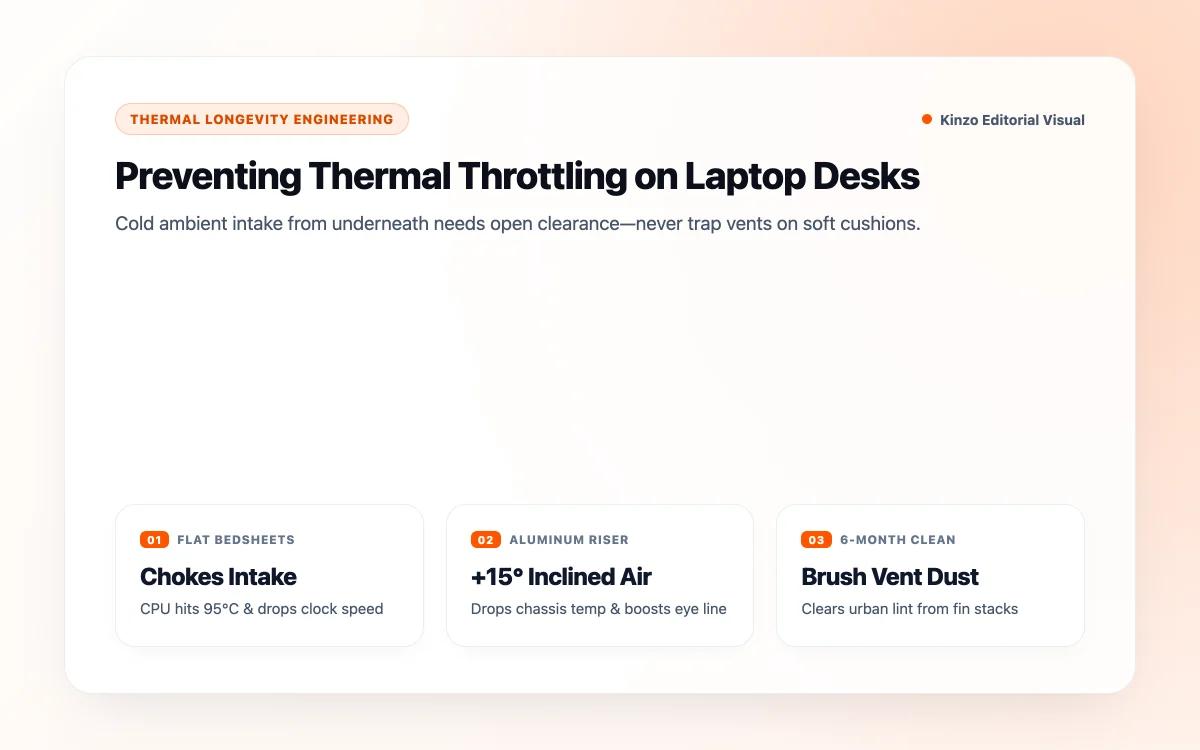
- Thermal clearance adds years to hardware: Elevating your intake vents on an aluminum stand drops sustained operating temperatures during warm Terai afternoons and extended renders.
Step One: Define Your Everyday Desk vs Commute Reality
Before comparing processor SKU numbers, answer one honest question: how many hours a week will this computer leave a power strip? Nepal’s growing remote workforce, engineering students, and startup founders typically split cleanly into three operational profiles.
The Daily Commuter and University Researcher
If your laptop moves daily inside a backpack across buses, bikes, or campus stairs, weight and battery efficiency beat raw synthetic benchmarks. Anything above 1.7kg quickly turns cumbersome once you pack a water bottle, notebook, and adapter. Balanced all-rounders like the Lumora Slate 14 pairing a 12th-Gen 10-core processor with 16GB RAM and a crisp 14-inch FHD panel hit the practical sweet spot for university assignments, programming coursework, financial spreadsheets, and smooth video conferencing without blowing out student budgets.
The Frequent Traveler and Color-Focused Creator
Consultants hopping flights between Kathmandu, Biratnagar, and Pokhara, alongside UI designers and photographers grading images away from studio monitors, get tremendous mileage out of ultra-thin laptops near the 1.1kg mark. The Lumora Aero X 13 Ultrabook demonstrates why spending extra for display engineering pays off: its 13.3-inch 2.8K OLED display covers wide color accuracy effortlessly while shaving nearly a full kilogram off heavyweight machines. Paired with 1TB SSD storage, large RAW photo batches and project builds never choke on cramped drives.
Decoding CPU Cores, RAM, and NVMe SSD Storage
Marketing labels often highlight "12th-Gen" or "i7" while hiding whether memory is soldered at 8GB or storage uses slower SATA bottlenecks. Inspecting three core hardware specs separates durable five-year machines from two-year headaches.
Hybrid P-core and E-core CPUs: Recent 10-core and 12-core laptop processors separate heavy single-threaded bursts (compiling code, applying Photoshop filters) onto performance cores while offloading background cloud syncing and calls onto low-watt efficiency cores. That keeps fan noise hushed during routine reading and writing while delivering rapid bursts when needed.
Memory bandwidth and upgradeability: Always verify whether RAM is soldered dual-channel (common in super-thin 13-inch ultrabooks, which is why buying 16GB upfront matters) or user-upgradable via SO-DIMM slots in thicker 15–16 inch bodies. Single-channel memory quietly cuts integrated graphics performance by up to a third.
512GB vs 1TB NVMe SSD: Windows/macOS updates, node/docker toolchains, or Adobe scratch caches eat 140GB faster than most buyers anticipate. 512GB handles students and office pros nicely with disciplined cloud storage; creators holding local 4K footage or multi-game libraries should move directly to 1TB drives.
Side-by-Side Comparison: Three Mainstream Laptop Archetypes
| Specification Focus | All-Rounder Value (e.g., Lumora Slate 14) | Featherweight Creator (e.g., Lumora Aero X 13) | Performance Workstation (e.g., Titanor Raptor 16) |
|---|---|---|---|
| Core Hardware Class | 10-Core CPU, 16GB RAM, 512GB SSD | 16GB RAM, 1TB SSD, ultra-low wattage design | RTX-class 8GB GPU, 16GB/1TB high-TDP chassis |
| Display Profile | 14" Full HD — comfortable office scaling | 13.3" 2.8K OLED — deep blacks, vivid grading | 16" QHD 165Hz — wide canvas & fluid motion |
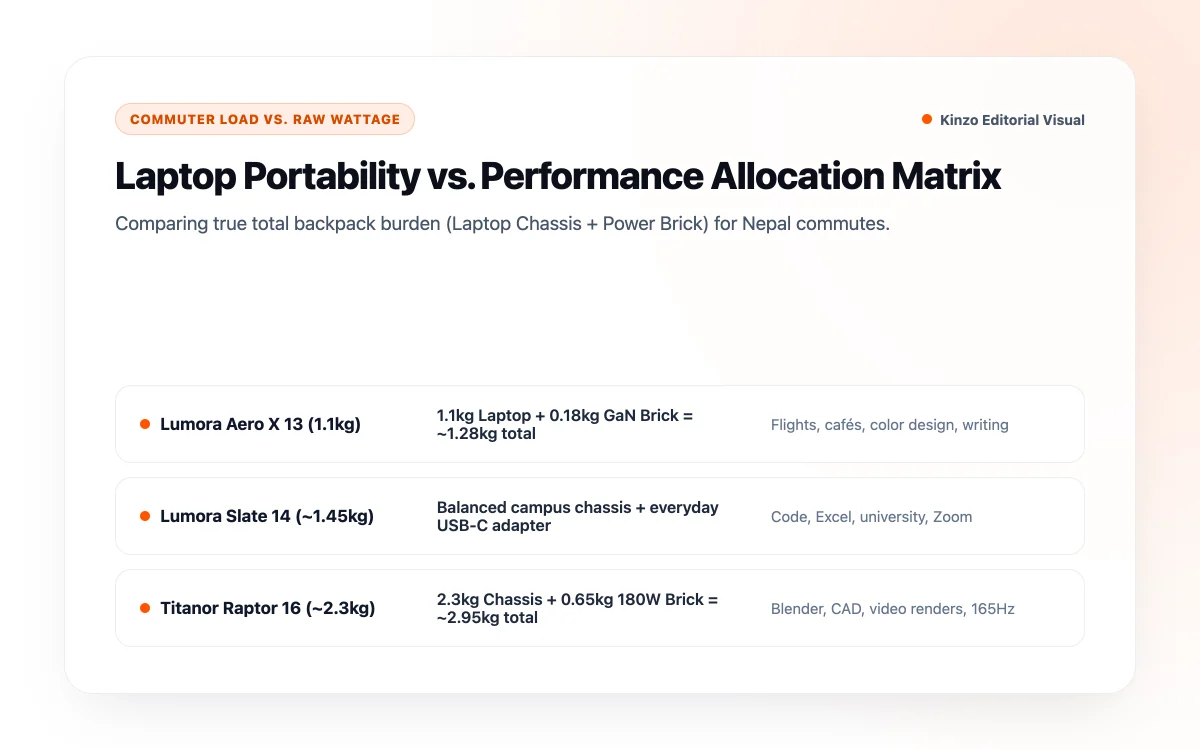
| Chassis Weight & Charger | Moderate weight (~1.45kg class) | Featherweight 1.1kg + USB-C PD charging | Heavy desktop replacement (~2.2–2.4kg + 180W+ brick) |
| Noise & Thermals | Cool & quiet under office tasks | Silent browsing, light fan under sustained export | Dual-fan cooling essential for 3D & gaming loads |
| Who Should Pick It | Students, remote teams, accounting & devs | Designers, executives, frequent flyers | Game devs, video editors, Blender/CAD engineers |
Dedicated GPUs, High-Refresh Screens, and Thermal Realities
Every architecture student and weekend gamer faces the same dilemma: paying for dedicated RTX-class 8GB VRAM silicon inside a machine like the Titanor Raptor 16 adds real weight and heat, yet integrated laptop graphics simply cannot match dedicated Tensor/CUDA acceleration in Blender, Unreal Engine, Premiere Pro timeline effects, or competitive 165Hz QHD gaming.
If your career or degree demands heavy viewport rendering, embrace the larger 16-inch thermal envelope intentionally—larger chassis give heatpipes breathing room so clocks do not plummet after twenty minutes of export. Just make sure you organize your home desk properly rather than trapping bottom intake grilles on soft bedsheets or pillows.
Power Backup Compatibility and Essential Accessories
Because suburban inverters and portable backup stations vary wildly across households, laptops supporting USB-C Power Delivery charging give you flexibility that proprietary barrel-plug gaming laptops lack. With a 65W GaN adapter or USB-C PD power bank for lightweight ultrabooks, temporary power cuts cease interrupting urgent client submissions. Keep dedicated 180W+ gaming workstations plugged into a pure-sine UPS or voltage stabilizer whenever grid spikes hit during storms.
Smart Port Selection for Students and Field Consultants
Ultra-slim chassis shave weight cleanly by cutting legacy sockets down to two USB-C slots, yet real Nepali office presentations and university lab projectors still run overwhelmingly on full-size HDMI cables and standard USB-A flash drives. Having at least one built-in HDMI port and a Type-A port saves frantic dongle hunts five minutes before client pitch meetings start—and when leaning into ultra-thin ultrabooks like the Lumora Aero X 13, pack one dependable aluminum USB-C multiport hub inside your laptop pocket permanently.
Checking Build Durability, Hinges, and Anti-Glare Displays Before Delivery
Laptop durability in Nepal rarely hinges on exotic alloy badges alone—mechanical hinge tension, keyboard deck flex, and screen surface finish show up every afternoon when you open your lid on a bus bench or sunny terrace. Before accepting delivery or clearing the initial Kinzo inspection window, run a calm ten-minute check: open the lid smoothly with one thumb to see if hinge tension stays balanced without cracking noise, examine keys for uniform spring feel, play five minutes of 1080p audio through stereo speakers for buzzing casing rattle, and open an all-dark plus all-white test tab to confirm zero stuck pixels or severe corner light bleed.
Shoppers working beside open sunny windows in Patan or Bhaktapur also appreciate anti-glare matte IPS surfaces (common across Lumora Slate business designs) versus deep high-gloss OLED mirrors. If your workflow splits between bright cafés and late-night rooms, prioritize 400-nit+ panels regardless of glass finish so outdoor text never forces cranking squint fatigue.
Three Smart Add-Ons When Ordering
- Compact foldable stand: Raises screen height closer to neutral eye level while opening airflow underneath hot copper vents.
- External USB-C hub with Gigabit Ethernet & HDMI: Ultra-thin laptops drop bulky LAN jacks; one dongle keeps boardroom projectors and stable wired office networks ready.
- Padded sleeve before backpacks: Stops stray textbooks and metal house keys from denting aluminum lids or stressing hinge pressure points.
Key Facts at a Glance
Bottom Line & Summary
Buying the best laptop on Kinzo means matching machine physics honestly to your weekly schedule rather than buying the highest watt card on paper. Start with the Lumora Slate 14 if you need dependable value with 16GB RAM for study and office sprints, step up to the 1.1kg Lumora Aero X 13 2.8K OLED if travel comfort and color sharpness drive your paycheck, and commit to a cooling-first 16-inch Titanor Raptor class workstation strictly when GPU acceleration pays the bills.